INDUSTRY
Healthcare
ROLE
Product designer
TIMELINE
Oct 2023 - Aug 2024
TEAM
1 Design manager
3 Product designer
IMPACT & HOW WE MEASURE SUCCESS
~30-40% faster pre-operative planning. Measurement review and validation time dropped from ~10 minutes to ~6 minutes per case through centralized, cross-device comparison.
~35% faster measurement review. Per-eye validation time decreased while discrepancy detection increased to >90%, reducing missed inconsistencies across devices and eyes.
99% safety compliance. Out-of-range measurement warnings were acknowledged prior to surgical planning
~45% fewer external tools. Reduced reliance on online folders, printouts and other manual systems
Pre-operative planning time
Reliance on external tools
Error detection rate
CONTEXT
My client is a global leader in ophthalmic technology with a 25-30% market share in surgical eye care devices and recognized as a top 3 provider in key regions including North America, Europe, and Asia-Pacific. While their surgical hardware leads the market, digital workflows have been fragmented. They are now modernizing with a unified, data-driven platform to reduce cognitive load, streamline decisions, and enable safer, scalable clinical workflows.
in ophthalmic surgical equipment
market share
surgical centers worldwide
PROCESS
The first 2 sprints focused on field visits and 30+ interviews with healthcare providers to understand their day to day workflow and worked with surgical experts on feasibility and safety constraints. The following eight months translated these insights into iterative design and validation of core workflows—Patient intake, measurement, plan, post-op analysis through repeated usability testing and close cross-functional collaboration, resulting in a production-ready MVP that reduced planning time while increasing accuracy and compliance.
BLUEPRINT
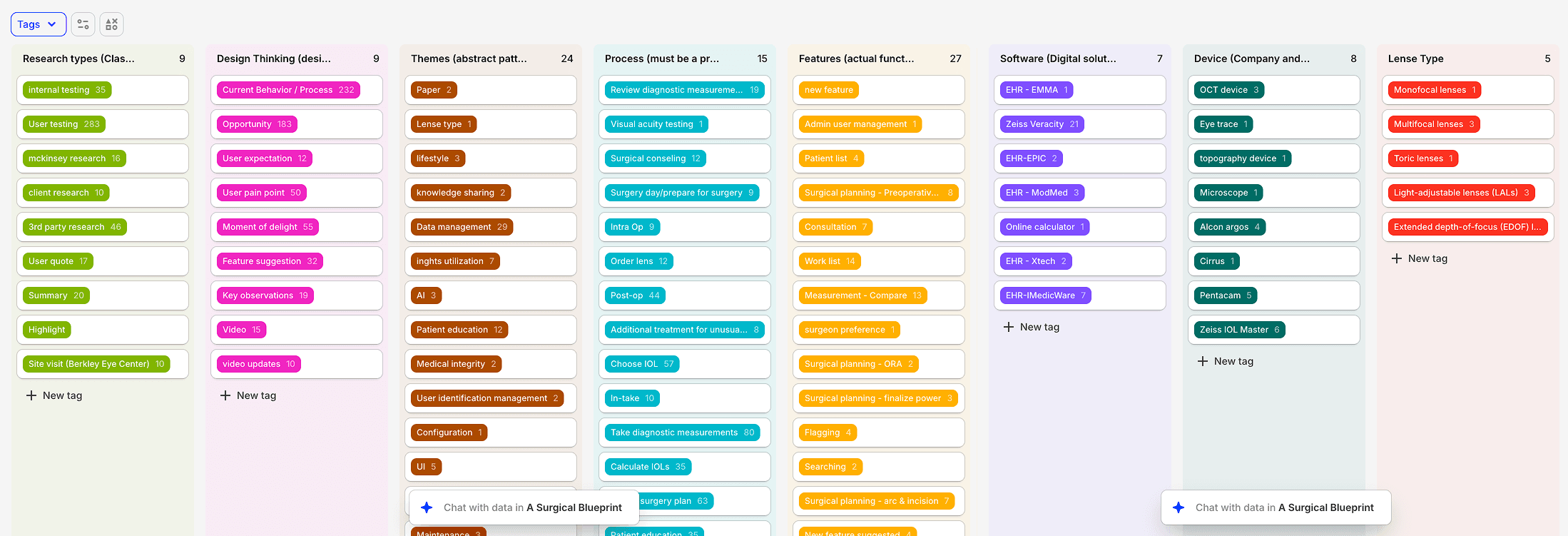
Surgical planning is a deeply technical, high-stakes process. Before designing solutions, we needed a shared, precise understanding of how decisions were made—and where errors emerged.
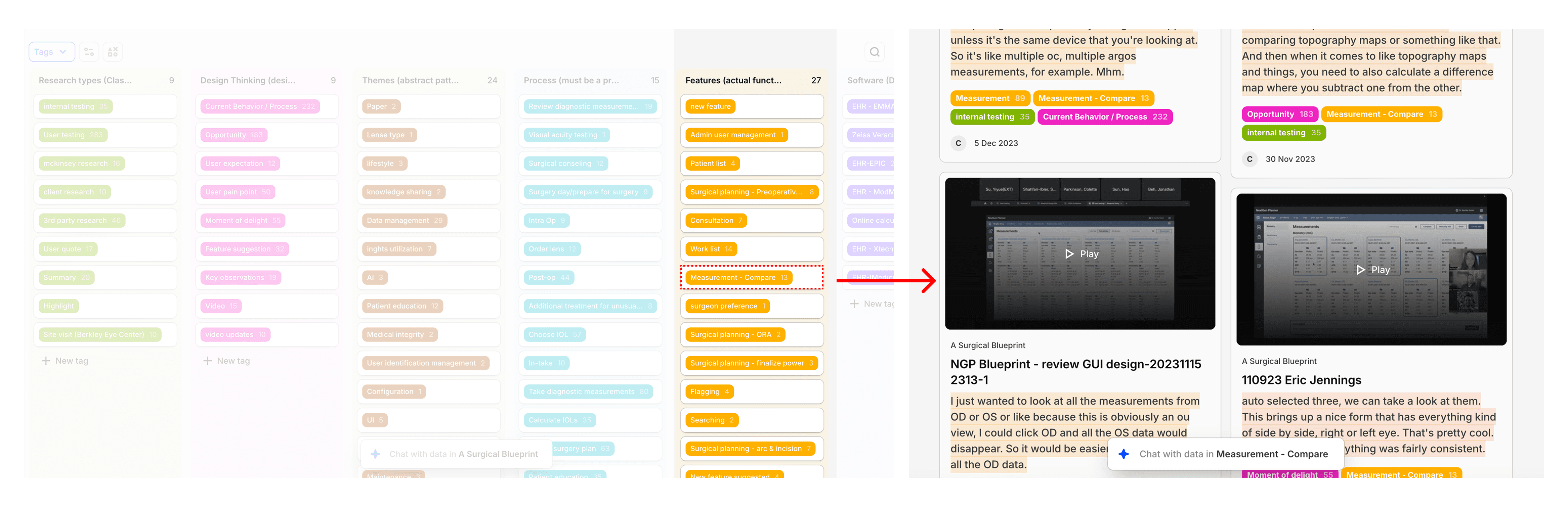
I established a centralized Dovetail repository as the backbone of the project. While AI-assisted synthesis can accelerate research, this product demanded depth over abstraction. Small details—terminology, measurement nuance, device differences—directly impacted safety and usability.
I designed a scalable tagging system that evolved over time and captured:
Research type (interview, field visit, usability test)
Clinical workflow steps
Pain points and failure modes
Design hypotheses and feature implications
This structure allowed insights to remain traceable, auditable, and reusable throughout the project lifecycle.
BLUEPRINT - SITE VISIT
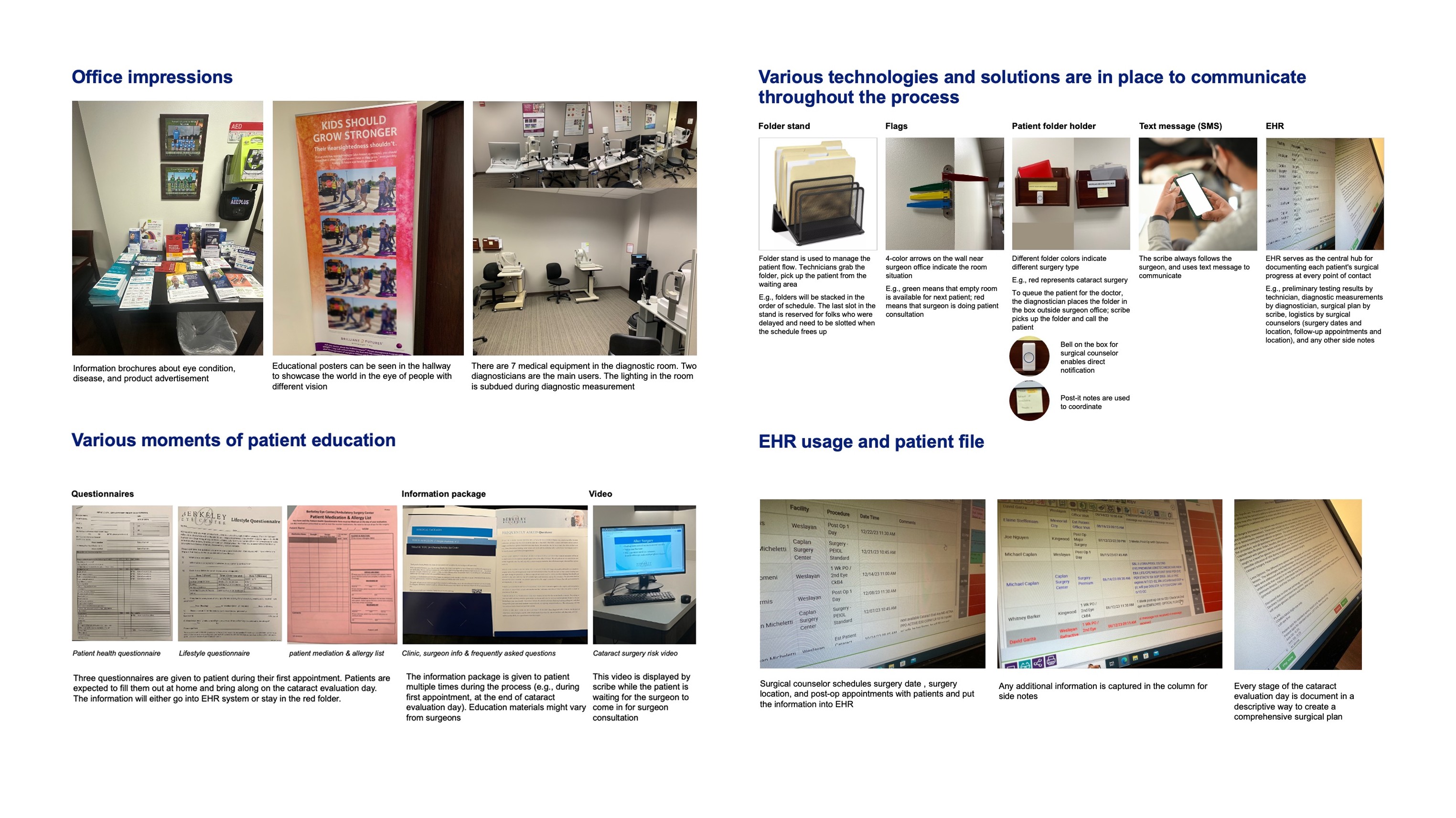
While 1:1 interviews provided valuable context, they were insufficient on their own. To ensure the tool would function reliably in real surgical settings, I conducted site visits to understand the physical and environmental constraints technicians and surgeons operate within.
We actually have some surprised findings that impact on design decisions
Insight: technicians and surgeons relied on informal visual cues (e.g., color-coded folders, wall markings) to coordinate care.
Design decision: Reinforced visual hierarchy, filter, and tagging system to quickly streamline the coordination between different roles.
Insight: Measurement review happens in near-dark rooms, unlike planning workflows in standard office settings.
Design decision: Prioritized dark mode and contrast-safe layouts for measurement-specific workflows.
BLUEPRINT - 2 STAKEHOLDERS WORKSHOPS
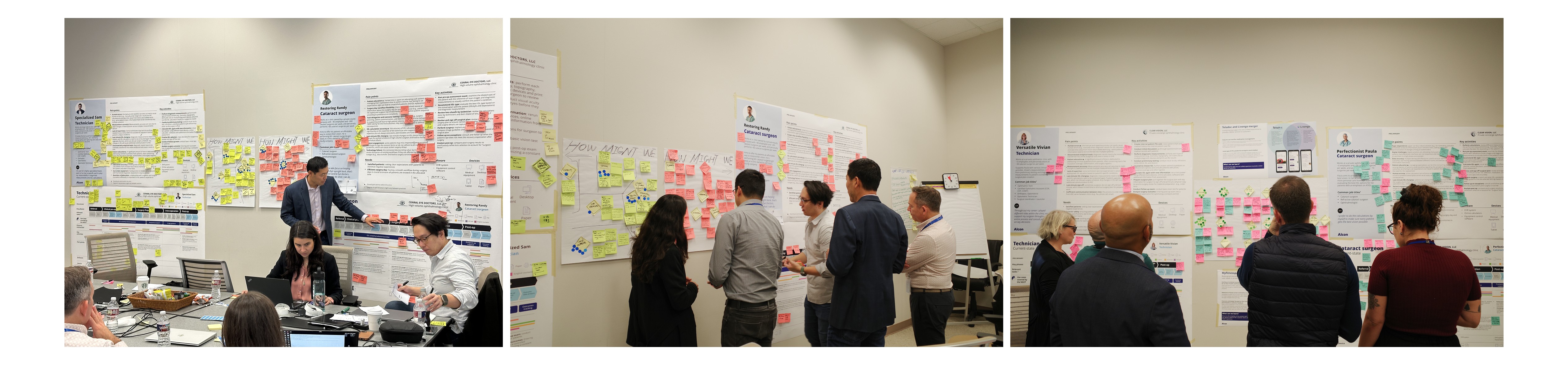
After site visits and exploratory interviews, I facilitated the first cross-functional workshop with surgical knowledge experts, product managers, and engineers
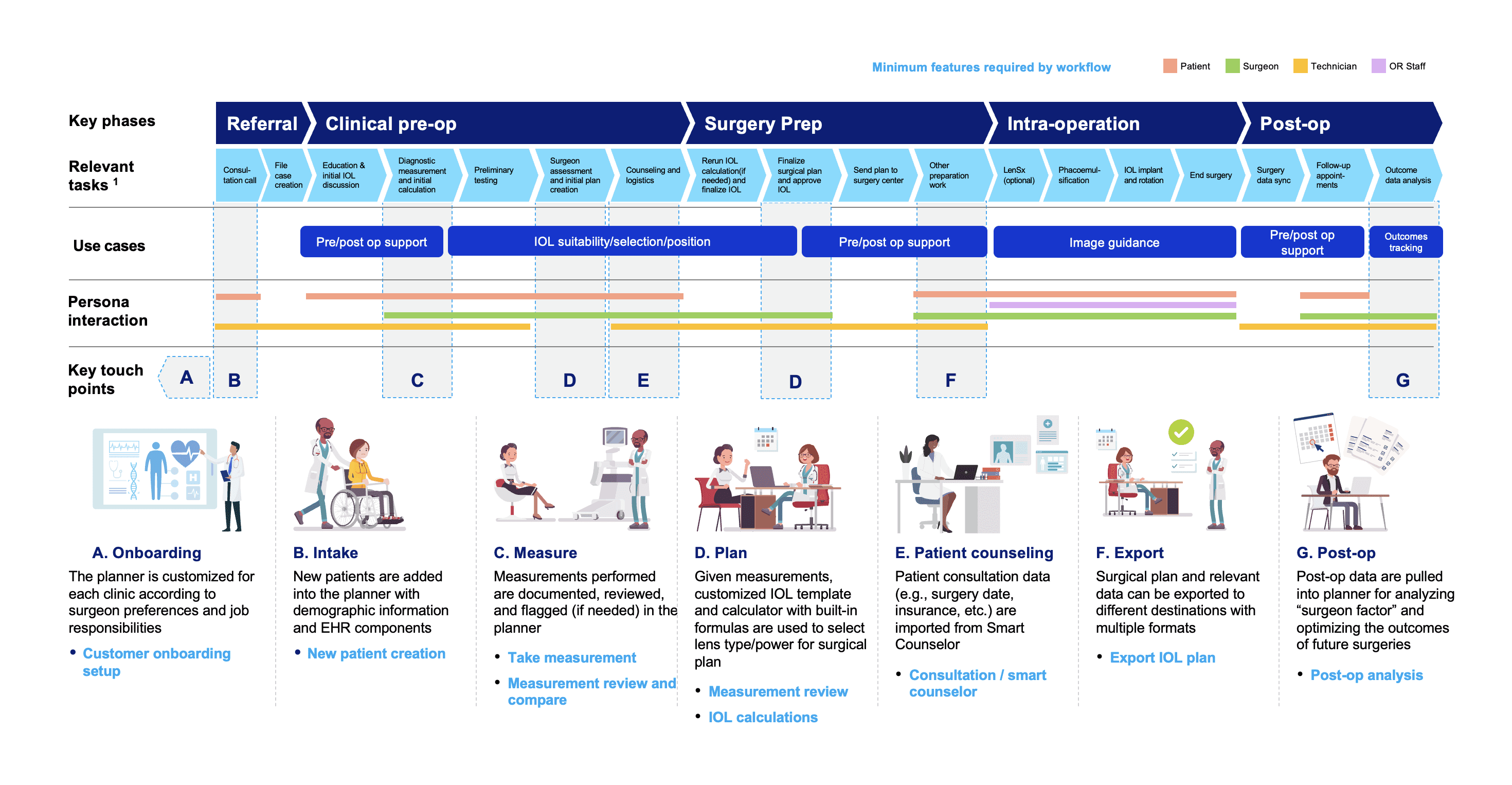
Using personas and journey maps grounded in real clinical data, we collaboratively:
Validated and refined the end-to-end surgical planning journey
Aligned on critical decision points
Prioritized features based on clinical risk and frequency
This workshop created early alignment and ensured that technical feasibility and clinical reality shaped the roadmap from day one.
BLUEPRINT - FROM SKETCH TO USER FLOWS
In the second workshop, we shifted from analysis to creation.
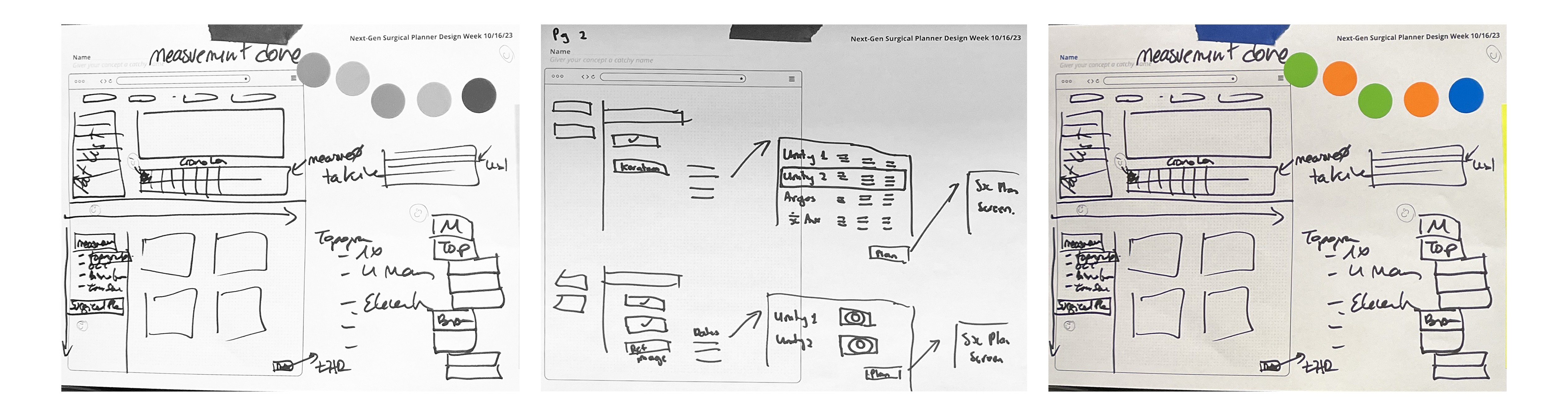
Surgical experts were invited to sketch their ideal tools for each key step of the workflow—what information they needed, how they wanted to compare data, and what would reduce cognitive effort in the moment. I translated these sketches into:
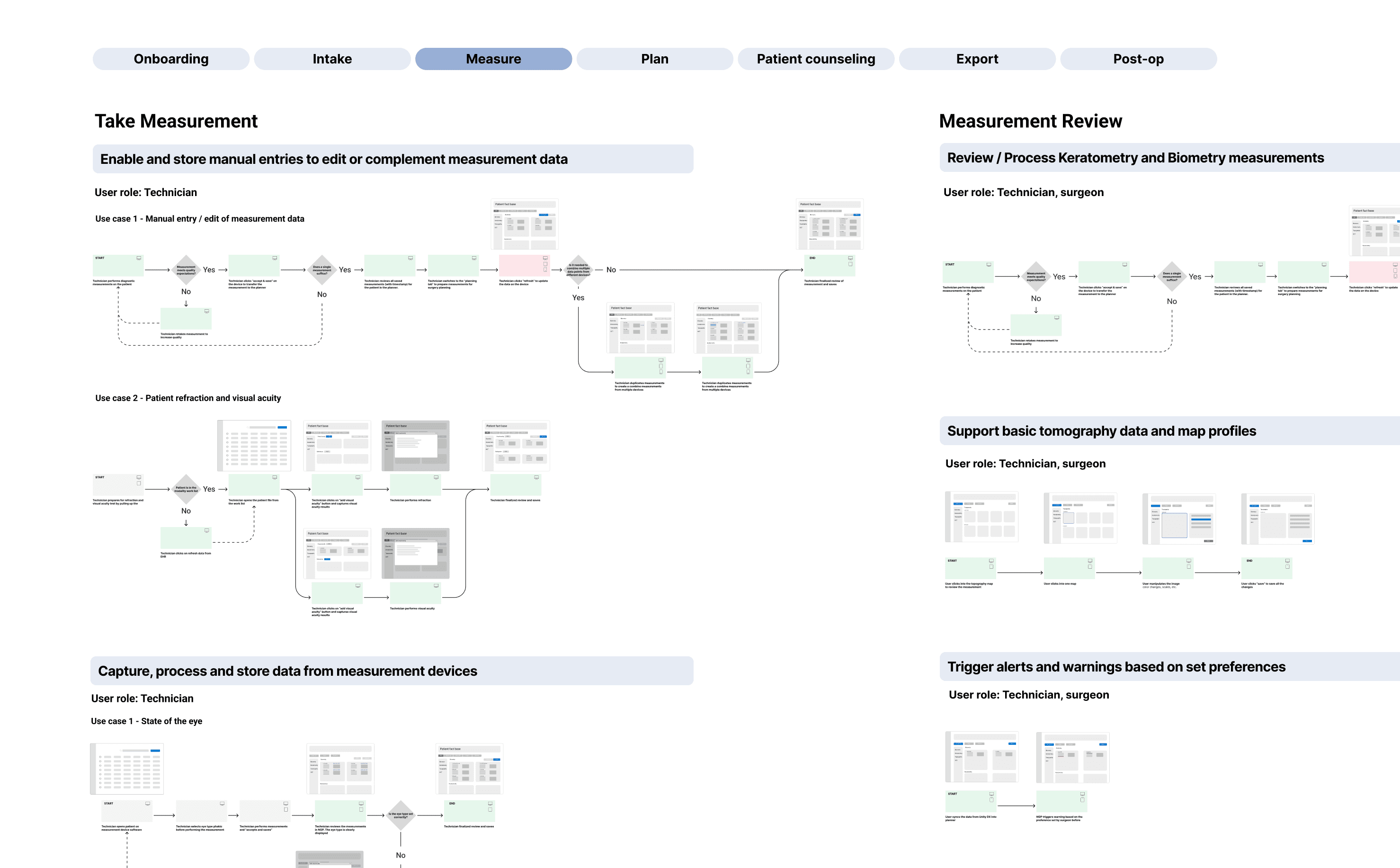
Concrete use cases
Structured user flows
Early wireframes mapped to decision points
These artifacts became the foundation for usability testing and iterative design during the build phase.
Build Phase: Measurement Comparison & Safety
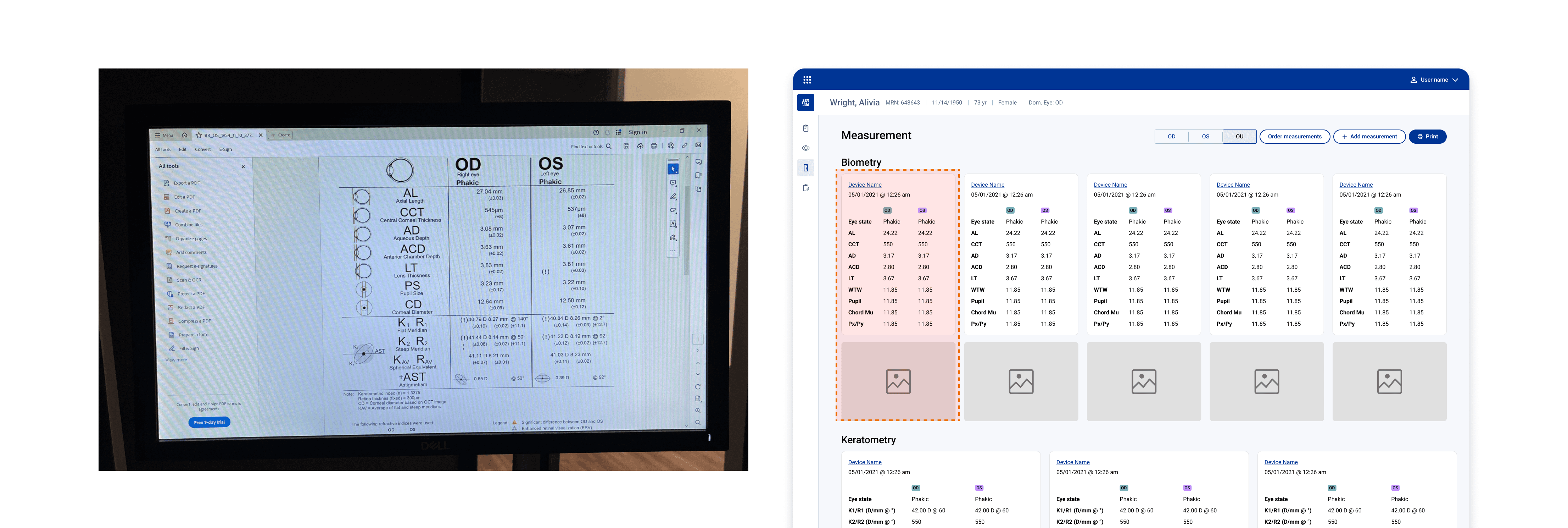
Starting point: digitize what clinicians already trust
To anchor the experience in existing workflows, I began by translating the printed outputs from each physical measurement device into digital measurement cards. Each card mirrored the device printout, showing OD and OS values alongside relevant imagery
Early validation revealed deeper comparison needs
Early usability testing revealed that clinicians weren’t just reviewing measurements—they were actively validating them through comparison. Two core behaviors emerged:
Cross-device validation: Comparing OD (as well as OS) values across all devices to check consistency.
Intra-device comparison: Users also needed to compare OD vs. OS within a single device, since those values should generally align and discrepancies often signal issues
These behaviors reframed the problem from displaying measurements to supporting rapid, high-confidence validation.
Design iteration: optimize for vertical scanning
To support these validation workflows, I explored and tested multiple layout patterns. A consistent insight emerged across sessions: clinicians were not scanning entire values—they were comparing individual digits, often focusing on tenths and hundredths through vertical scanning.
This made inconsistencies immediately visible and significantly reduced cognitive load. As a result, clinicians could validate OD or OS measurements across devices at a glance, even in fast-paced surgical settings.
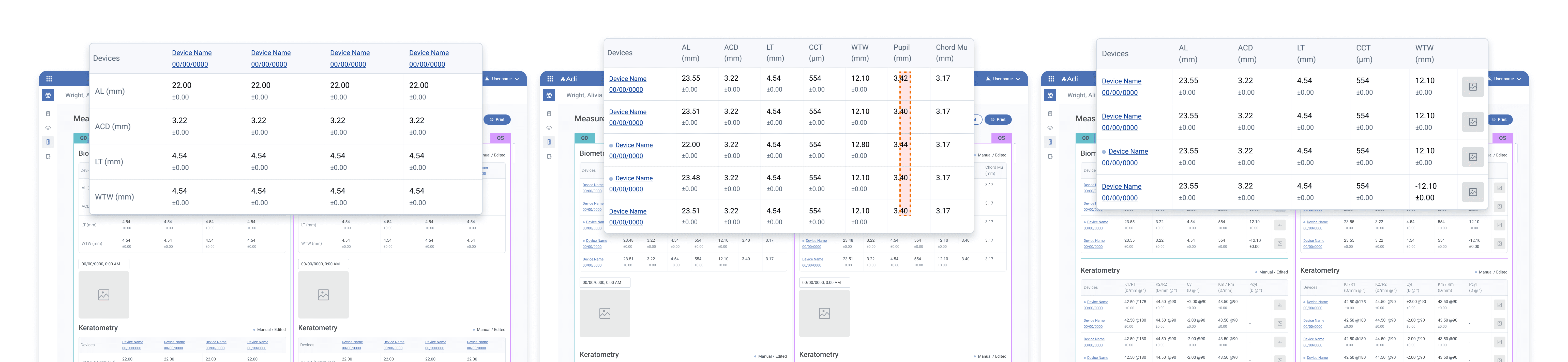
Balance cross-device and OD/OS comparison
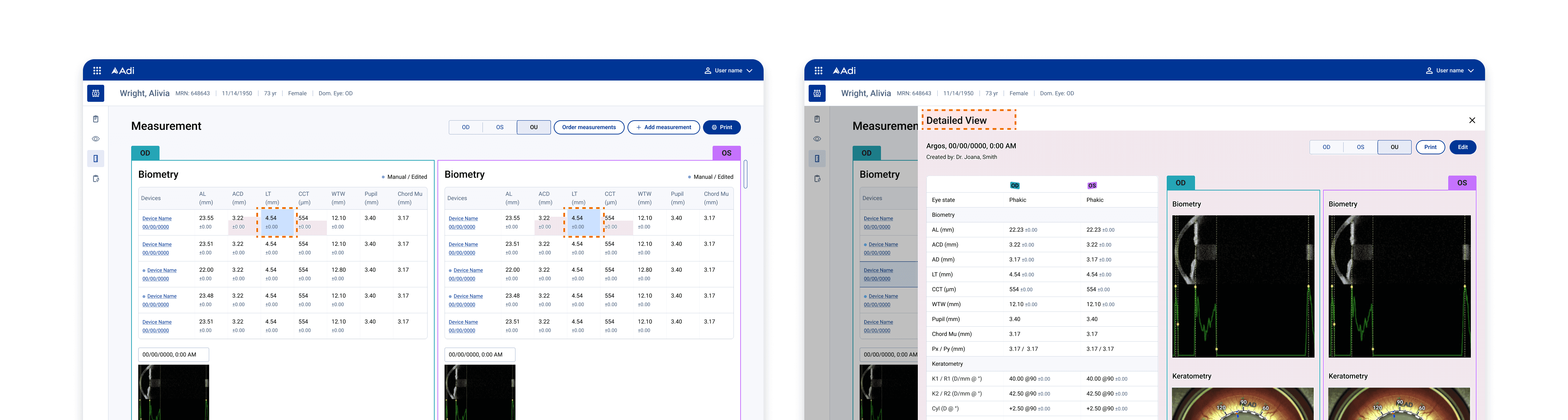
While this layout significantly improved cross-device validation, it weakened direct OD–OS comparison within a single device. Rather than forcing competing comparison tasks into one view, I
added hovering to support momentary checks without breaking vertical scan flow
introduced a secondary, device-level view through double-click
DESIGN SYSTEM
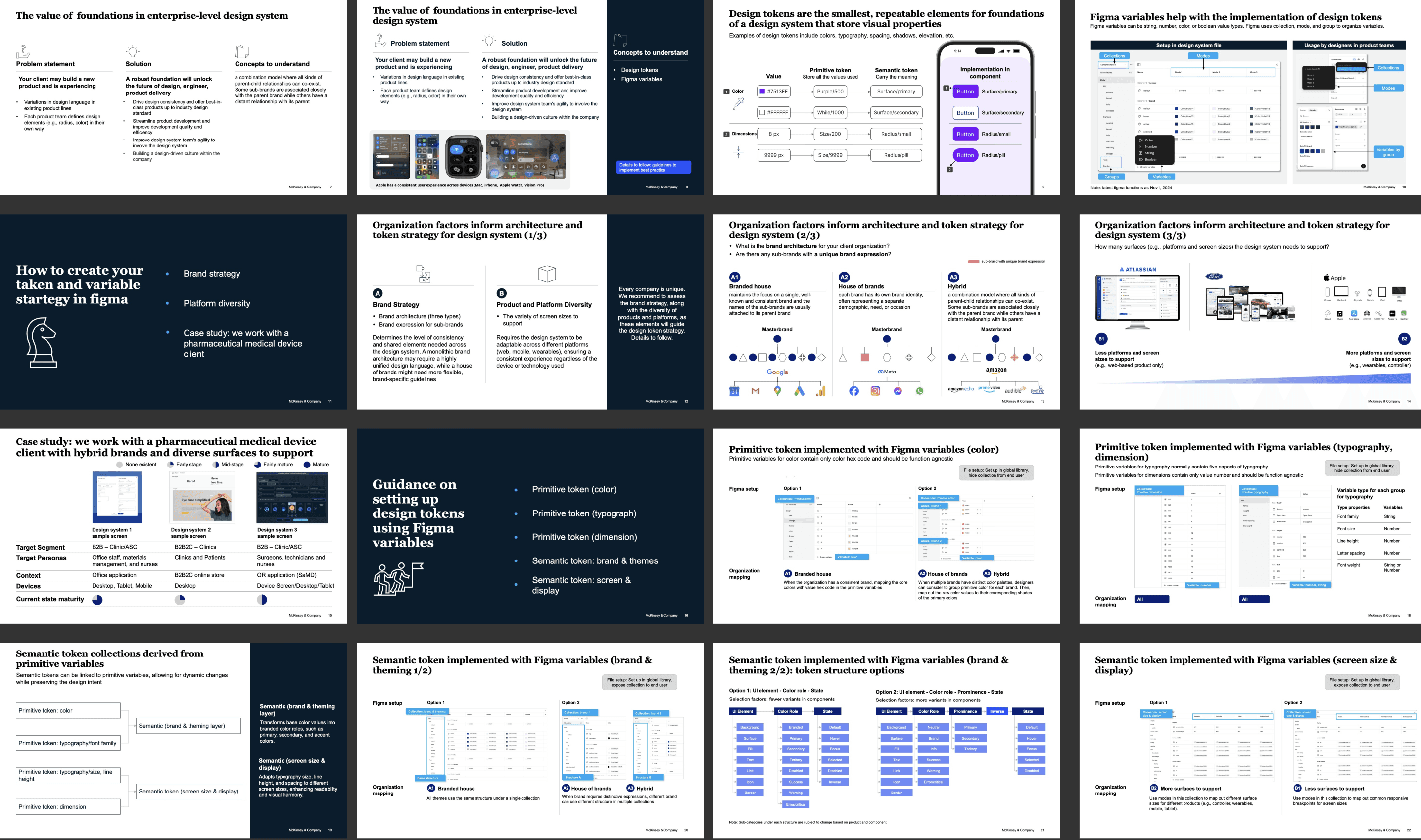
In parallel with the product work, I led the strategy for building the foundation for an enterprise-level design system across a highly fragmented ecosystem. The client operated multiple design systems at varying levels of maturity, supporting hybrid brands and a wide range of product surfaces. I established a scalable foundation by defining a token architecture aligned to brand hierarchy and surface-specific needs, enabling consistency without sacrificing flexibility. I then codified this approach into a playbook—How to Harmonize Design System Foundations—so any McKinsey teams could apply the framework to other clients facing similar problems.
A LITTLE BIT REFLECTIONS
A bit reflection
To continue…